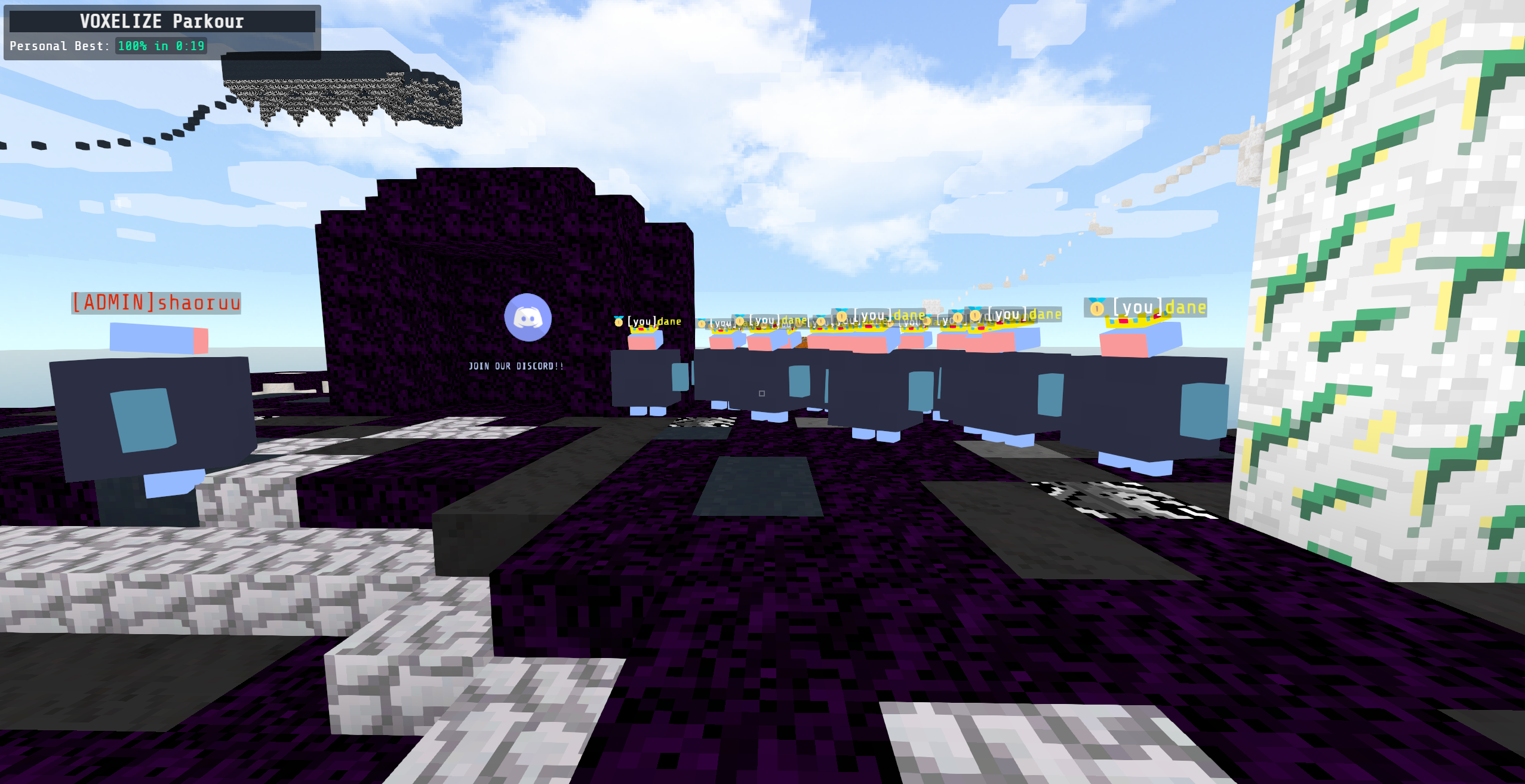
A class that allows you to add multiplayer functionality to your Voxelize game. This implements
a NetIntercept that intercepts all peer-related messages and allows you to customize
the behavior of multiplayer functionality. This class also extends a THREE.Group that allows
you to dynamically turn on/off multiplayer visibility.
Override Peers.packInfo to customize the information that is sent to other peers.
TODO-DOC
Example
// Create a peers manager.
const peers = new VOXELIZE.Peers<VOXELIZE.Character>();

// Add the peers group to the world.
world.add(peers);

// Define what a new peer looks like.
peers.createPeer = (id) => {
  const character = new VOXELIZE.Character();
  character.username = id;
  return character;
};

// Define what happens when a peer data is received.
peers.onPeerUpdate = (peer, data) => {
  peer.set(data.position, data.direction);
};

// In the render loop, update the peers manager.
peers.update();
Type parameters
| Name | Type | Description |
|---|---|---|
C | extends Object3D = Object3D | The type of the character. Defaults to Object3D. |
T | { direction: number[] ; position: number[] } | The type of peer metadata. Defaults to { direction: number[], position: number[] }. |
Hierarchy
-
Group↳
Peers
Implements
Constructors
constructor
• new Peers<C, T>(object?, options?): Peers<C, T>
Create a peers manager to add multiplayer functionality to your Voxelize game.
Type parameters
| Name | Type |
|---|---|
C | extends Object3D<Object3DEventMap> = Object3D<Object3DEventMap> |
T | { direction: number[] ; position: number[] } |
Parameters
| Name | Type | Description |
|---|---|---|
object? | Object3D<Object3DEventMap> | The object that is used to send client's own data back to the server. |
options | Partial<PeersOptions> | Parameters to customize the effect. |
Returns
Peers<C, T>
Overrides
Group.constructor
Properties
createPeer
• createPeer: (id: string) => C
A function called when a new player joins the game. This function should be implemented to create and return a new peer object.
Type declaration
▸ (id): C
Parameters
| Name | Type | Description |
|---|---|---|
id | string | The ID of the new peer. |
Returns
C
map
• map: Map<string, C>
Maps the peer ID to the peer object.
object
• Optional object: Object3D<Object3DEventMap>
The object that is used to send client's own data back to the server.
onPeerJoin
• onPeerJoin: (id: string, peer: C) => void
A function called when a player joins the game. By default, the function calls the Peers.createPeer function to create a new peer object and adds it to the peers group. Customize this function to add additional behavior.
Type declaration
▸ (id, peer): void
Parameters
| Name | Type | Description |
|---|---|---|
id | string | The new peer's ID. |
peer | C | - |
Returns
void
onPeerLeave
• onPeerLeave: (id: string, peer: C) => void
A function called when a player leaves the game. Internally, when a player leaves, its object is removed from the peers group. Customize this function to add additional behavior.
Type declaration
▸ (id, peer): void
Parameters
| Name | Type | Description |
|---|---|---|
id | string | The ID of the peer that left the game. |
peer | C | - |
Returns
void
onPeerUpdate
• onPeerUpdate: (object: C, data: T, info: { id: string ; username: string }) => void
A function called to update a peer object with new data. This function should be implemented to customize the behavior of the peer object.
Type declaration
▸ (object, data, info): void
Parameters
| Name | Type | Description |
|---|---|---|
object | C | The peer object. |
data | T | The new data. |
info | Object | The peer's information. |
info.id | string | The peer's ID. |
info.username | string | The peer's username. |
Returns
void
options
• options: PeersOptions
Parameters to customize the peers manager.
ownID
• ownID: string = ""
The client's own peer ID. This is set when the client first connects to the server.
ownMetadata
• Optional ownMetadata: Record<string, any>
The client's own metadata (device info, etc.). This is set when the client first connects to the server.
ownPeer
• Optional ownPeer: C
ownUsername
• ownUsername: string = ""
The client's own username. This is set when the client first connects to the server.
Methods
collectShadowCasters
▸ collectShadowCasters(out): Object3D<Object3DEventMap>[]
Append every peer avatar render root that should cast dynamic shadows
(the CSM entity pass and the local-light overlay tier) to out: the
client's own avatar when visible (third person), then every remote
peer's avatar. Pass the result to World.renderShadowMaps as part of
the entities list — anything omitted from that list is treated as
world geometry by the cached shadow passes, so a missing avatar both
loses its live shadow and can be baked into a cached cell as a frozen
stamp. Rebuild per frame into a caller-owned scratch array (zero
allocation): the peers map is the live truth, so join, leave, and
reconnect churn is picked up the same frame it happens.
Parameters
| Name | Type | Description |
|---|---|---|
out | Object3D<Object3DEventMap>[] | The array to append render roots to (not cleared first). |
Returns
Object3D<Object3DEventMap>[]
The same array, for chaining.
getPeerById
▸ getPeerById(id): C
Get a peer instance by its ID using the map.
Parameters
| Name | Type | Description |
|---|---|---|
id | string | The ID of the peer to get. |
Returns
C
The peer object with the given ID.
packInfo
▸ packInfo(): void | PeerProtocol<T>
Create a packet to send to the server. By default, this function sends the position and direction as metadata to the server. Override this function to customize the information sent.
If customized and nothing is returned, no packets will be sent.
Returns
void | PeerProtocol<T>
A peer protocol message
setOwnPeer
▸ setOwnPeer(peer): void
Set the client's own peer instance.
Parameters
| Name | Type | Description |
|---|---|---|
peer | C | The peer instance that is going to be the client themselves. |
Returns
void
setOwnUsername
▸ setOwnUsername(username): void
Set the client's own username. This will be broadcasted to the server.
Parameters
| Name | Type | Description |
|---|---|---|
username | string | The username of the client. |
Returns
void
snapAllToTarget
▸ snapAllToTarget(): void
Returns
void
update
▸ update(): void
Update the peers manager. Internally, this attempts to call any children that has a update method.
You can turn this behavior off by setting options.updateChildren to false.
This function should be called in the render loop.
Returns
void