Class: NameTag
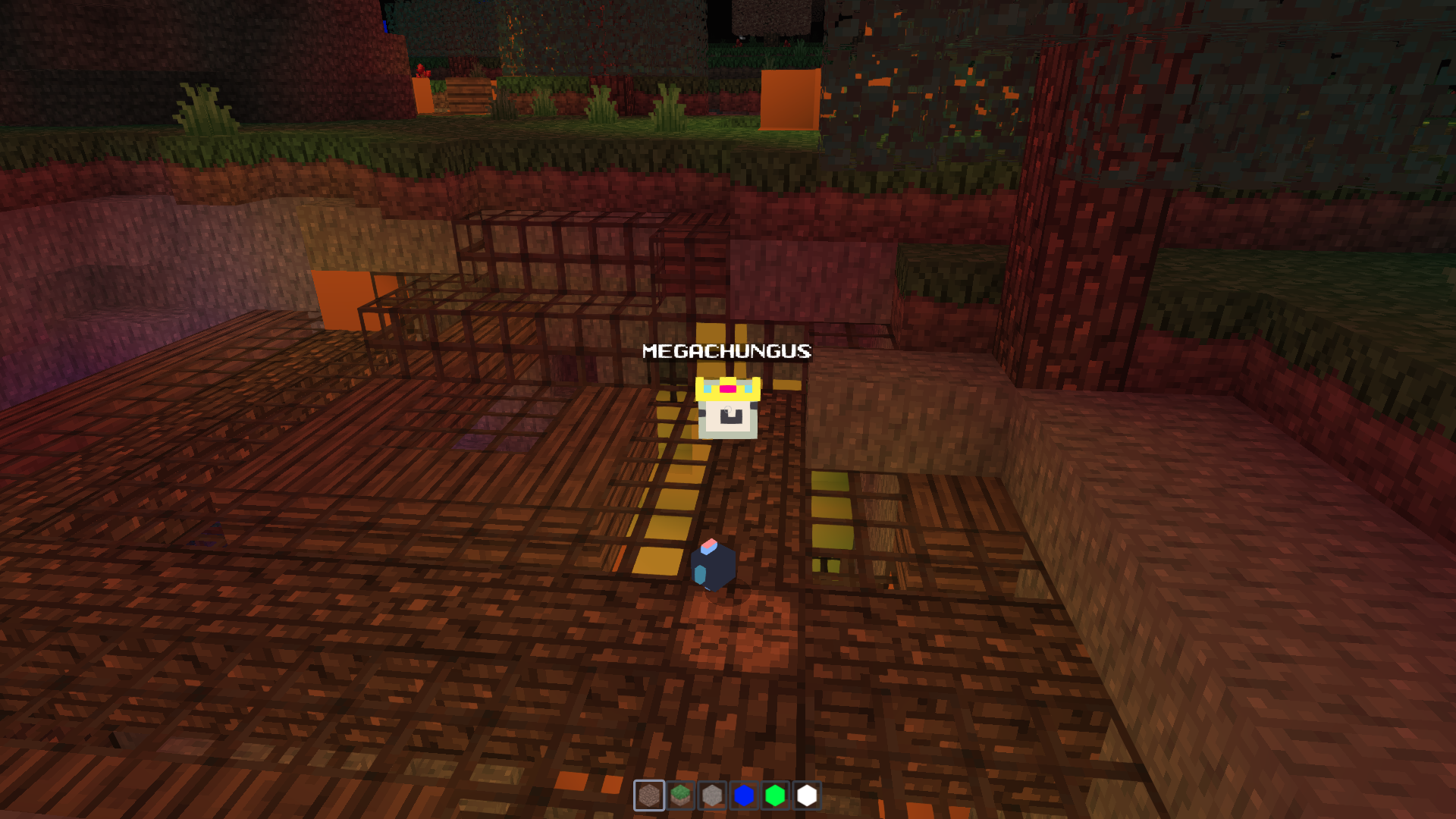
A class that allows you to create a name tag mesh. This name tag mesh also supports colored text using the ColorText syntax. Name tags can be treated like any other mesh.
A name tag is a label, not world geometry: it does not take the scene's
fog (material.fog is off), and it fades out with camera distance
(NameTagDistance) instead. It is a world-sized sprite, so on
screen it shrinks with distance like everything else until the fade
retires it.
Hierarchy
-
↳
NameTag
Constructors
constructor
• new NameTag(text, options?): NameTag
Parameters
| Name | Type |
|---|---|
text | string |
options | Partial<NameTagOptions> |
Returns
Overrides
Properties
distanceDefaults
▪ Static distanceDefaults: NameTagDistance
The distance behaviour a tag uses wherever its own options leave a field unset. Read on every draw, so an app can set it once at startup, before or after its first tags exist. The engine default keeps every tag at every distance, drawn over everything.
distanceFade
▪ Static distanceFade: boolean = true
Global switch for the distance behaviour. Off, tags behave as they did before distance fading existed: drawn at every distance, over everything, and taking the scene's fog like the world around them. The fade, the cull and the depth test read it on every draw; the fog is set when a tag is made. For side-by-side comparisons.
fadeEnd
• Optional fadeEnd: number
This tag's own fade end; unset uses NameTag.distanceDefaults.
fadeStart
• Optional fadeStart: number
This tag's own fade start; unset uses NameTag.distanceDefaults.
seeThroughDistance
• Optional seeThroughDistance: number
This tag's own see-through range; unset uses NameTag.distanceDefaults.
Accessors
backgroundColor
• get backgroundColor(): string | false
Get the background color of the sprite text.
Returns
string | false
Inherited from
SpriteText.backgroundColor
• set backgroundColor(color): void
Set the background color of the sprite text. This will regenerate the sprite.
Parameters
| Name | Type |
|---|---|
color | string | false |
Returns
void
Inherited from
SpriteText.backgroundColor
borderColor
• get borderColor(): string
Get the border color of the sprite text.
Returns
string
Inherited from
SpriteText.borderColor
• set borderColor(borderColor): void
Set the border color of the sprite text. This will regenerate the sprite.
Parameters
| Name | Type |
|---|---|
borderColor | string |
Returns
void
Inherited from
SpriteText.borderColor
borderRadius
• get borderRadius(): number
Get the border radius of the sprite text.
Returns
number
Inherited from
SpriteText.borderRadius
• set borderRadius(borderRadius): void
Set the border radius of the sprite text. This will regenerate the sprite.
Parameters
| Name | Type |
|---|---|
borderRadius | number |
Returns
void
Inherited from
SpriteText.borderRadius
borderWidth
• get borderWidth(): number
Get the border width of the sprite text.
Returns
number
Inherited from
SpriteText.borderWidth
• set borderWidth(borderWidth): void
Set the border width of the sprite text. This will regenerate the sprite.
Parameters
| Name | Type |
|---|---|
borderWidth | number |
Returns
void
Inherited from
SpriteText.borderWidth
fontFace
• get fontFace(): string
Get the font face of the sprite text.
Returns
string
Inherited from
SpriteText.fontFace
• set fontFace(fontFace): void
Set the font face of the sprite text. This will regenerate the sprite.
Parameters
| Name | Type |
|---|---|
fontFace | string |
Returns
void
Inherited from
SpriteText.fontFace
fontSize
• get fontSize(): number
Get the font size of the sprite text.
Returns
number
Inherited from
SpriteText.fontSize
• set fontSize(fontSize): void
Set the font size of the sprite text. This will regenerate the sprite.
Parameters
| Name | Type |
|---|---|
fontSize | number |
Returns
void
Inherited from
SpriteText.fontSize
fontWeight
• get fontWeight(): string
Get the font weight of the sprite text.
Returns
string
Inherited from
SpriteText.fontWeight
• set fontWeight(fontWeight): void
Set the font weight of the sprite text. This will regenerate the sprite.
Parameters
| Name | Type |
|---|---|
fontWeight | string |
Returns
void
Inherited from
SpriteText.fontWeight
opacity
• get opacity(): number
How opaque the owner wants the tag (a label fading out with its owner).
The distance fade multiplies it on every draw, so set this rather than
material.opacity, which the fade rewrites.
Returns
number
• set opacity(opacity): void
Parameters
| Name | Type |
|---|---|
opacity | number |
Returns
void
padding
• get padding(): number
Get the padding of the sprite text. This is the space between the text and the border.
Returns
number
Inherited from
SpriteText.padding
• set padding(padding): void
Set the padding of the sprite text. This is the space between the text and the border. This will regenerate the sprite.
Parameters
| Name | Type |
|---|---|
padding | number |
Returns
void
Inherited from
SpriteText.padding
strokeColor
• get strokeColor(): string
Get the stroke color of the sprite text. In other words, the color of the text.
Returns
string
Inherited from
SpriteText.strokeColor
• set strokeColor(strokeColor): void
Set the stroke color of the sprite text. In other words, the color of the text. This will regenerate the sprite.
Parameters
| Name | Type |
|---|---|
strokeColor | string |
Returns
void
Inherited from
SpriteText.strokeColor
strokeWidth
• get strokeWidth(): number
Get the stroke width of the sprite text.
Returns
number
Inherited from
SpriteText.strokeWidth
• set strokeWidth(strokeWidth): void
Set the stroke width of the sprite text. This will regenerate the sprite.
Parameters
| Name | Type |
|---|---|
strokeWidth | number |
Returns
void
Inherited from
SpriteText.strokeWidth
text
• get text(): string
Get the text rendered in the sprite.
Returns
string
Inherited from
SpriteText.text
• set text(text): void
Set the text to display. This will regenerate the sprite.
Parameters
| Name | Type |
|---|---|
text | string |
Returns
void
Inherited from
SpriteText.text
textHeight
• get textHeight(): number
Get the text height in pixels.
Returns
number
Inherited from
SpriteText.textHeight
• set textHeight(textHeight): void
Set the text height to display. This will regenerate the sprite.
Parameters
| Name | Type |
|---|---|
textHeight | number |
Returns
void
Inherited from
SpriteText.textHeight
Methods
dispose
▸ dispose(): void
Free the label's GPU texture and material. The quad geometry is three's shared sprite geometry and stays. Call once the sprite has left the scene for good.
Returns
void
Inherited from
onBeforeRender
▸ onBeforeRender(_renderer, _scene, camera): void
Fade, depth test and retire the tag for the camera about to draw it. Three calls this only for tags it draws, so the per-frame cost follows the tags on screen, and it allocates nothing.
Parameters
| Name | Type |
|---|---|
_renderer | WebGLRenderer |
_scene | Scene<Object3DEventMap> |
camera | Camera |
Returns
void
Overrides
SpriteText.onBeforeRender
updateMatrixWorld
▸ updateMatrixWorld(force?): void
A retired tag is never drawn, so it cannot see the camera come back in range from its draw hook. The scene's matrix pass reaches it every frame regardless, and that is where it rejoins: one distance check, and only for retired tags.
Parameters
| Name | Type |
|---|---|
force? | boolean |
Returns
void
Overrides
SpriteText.updateMatrixWorld